 Pawwall
 vs one sec: two ways to stop opening apps on autopilot
Pawwall blocks the apps you open on autopilot with Apple's own Screen Time shield, on a schedule you set, and gives you a calm way back in when you need it. Here is how it compares with one sec, using what one sec says about itself.
The short answer
- Pawwall is for the hours that matter: a real block on a schedule, such as every night from 22:30 to 07:00, so the app is not there at all when your thumb reaches for it.
- If you really need in, Pause with Mau gives you one breath, one question and a short wait, then you choose. No account, no ads.
- Different focus: one sec focuses on a short pause before an app opens, across phones and computers (one-sec.app). Pawwall focuses on a real block on your iPhone, with a deliberate way back in.
Side by side
| Criteria | Pawwall | one sec |
|---|---|---|
| What it does | Pauses the apps and app categories you choose with Apple's Screen Time, on focus plans that run on a schedule, or right away with Focus now (15, 25, 45 or 60 minutes). | Adds a short intervention before distracting apps open, such as a deep breath, a mirror, a conversational reflection or rotating your phone (one-sec.app). It can also block apps or sites during a block session or a scheduled time (one-sec.app). |
| Platforms | iPhone. | iOS and Android, plus browser extensions for Windows, macOS and Linux (one-sec.app). |
| What you set up | A plan: name, days, start and end time (it can cross midnight), and the apps or app categories it pauses. Templates include Night focus, Morning, Work, Dinner and Study. | The apps you want to slow down; on iPhone it uses Shortcuts Automation to show the intervention when you open them (App Store). |
| Opening the app | Apple's shield appears: "Mau's paw is on this one." It is a system block, not a reminder you swipe away. | The intervention plays before the app opens. After a set time, for example 5 minutes, Re-Intervention takes you out and asks again (App Store). |
| Way back in | Pause with Mau: "Let's take one breath first." and "What would help?", then a short wait (15 seconds the first time, longer later), then "I'm good" or "Open for 5 min". | Continue after the intervention, unless a block session or schedule is on (one-sec.app). |
| Tracking | Time guarded today, the times you backed off, a seven-day strip and "Your week with Mau". | See one-sec.app. |
| Your data | The apps you pick and your Screen Time data stay on your iPhone. Apple's Screen Time gives Pawwall only private tokens, never app names or your usage. | "By default, your data remains offline"; data is processed only for extras such as support, purchases or iCloud sync (one-sec.app/privacy). |
| How you pay (checked 21 October 2026) | The membership starts with a 7-day trial on the yearly plan. | One app is free. one sec pro: $6.99 per month, $19.99 per year or $99.99 lifetime; family plans $9.99 per month, $29.99 per year or $149 lifetime (App Store). |
| Account and ads | No account, no ads. | See one-sec.app. |
The same task in both apps
The task: you open Instagram in bed without deciding to. You want that to stop at night.
In Pawwall
- Pick the Night focus template. It starts at 22:30 and ends at 07:00, every day.
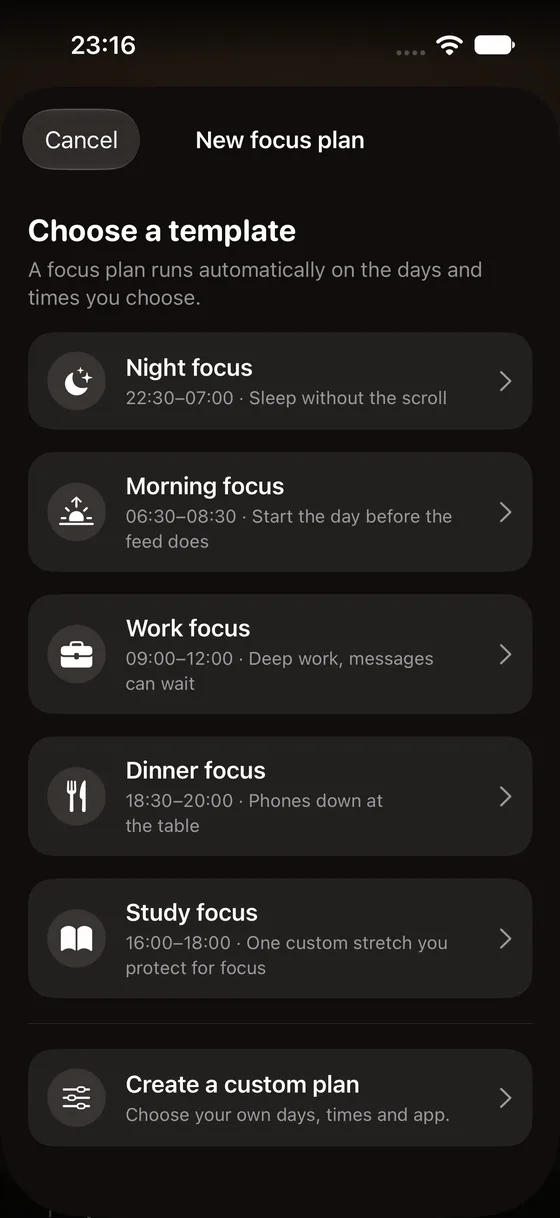
Night focus, 22:30 to 07:00, Sleep without the scroll - Tap Choose apps and pick Instagram in Apple's app picker. Change the times, days or name if your nights look different.
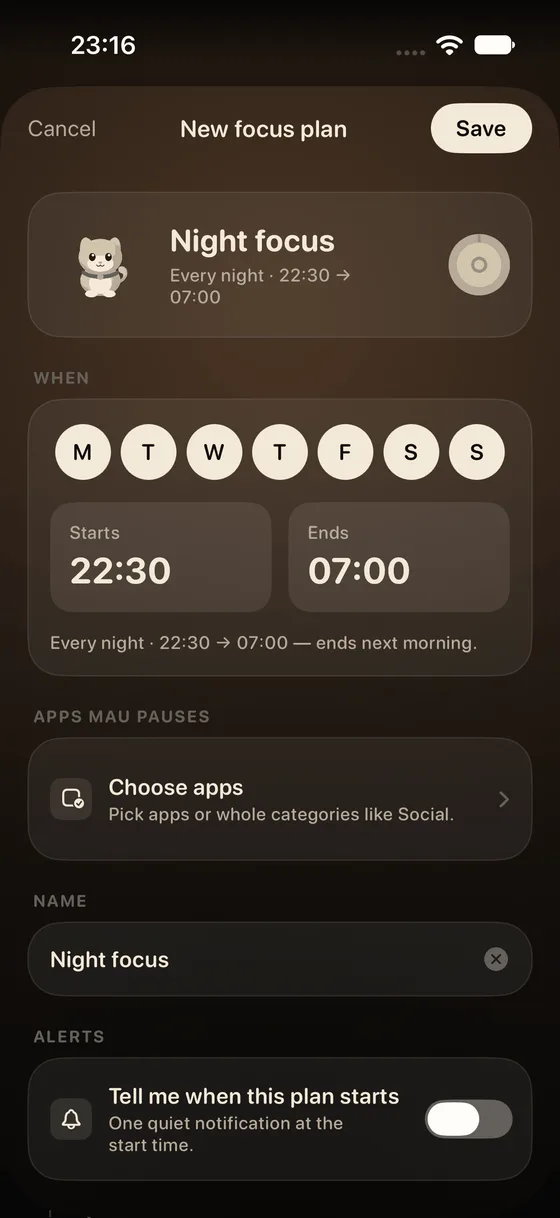
Every night, 22:30 to 07:00, and the apps Mau pauses - Save. The plan starts on its own each night. Home shows how long is left and when your apps come back.
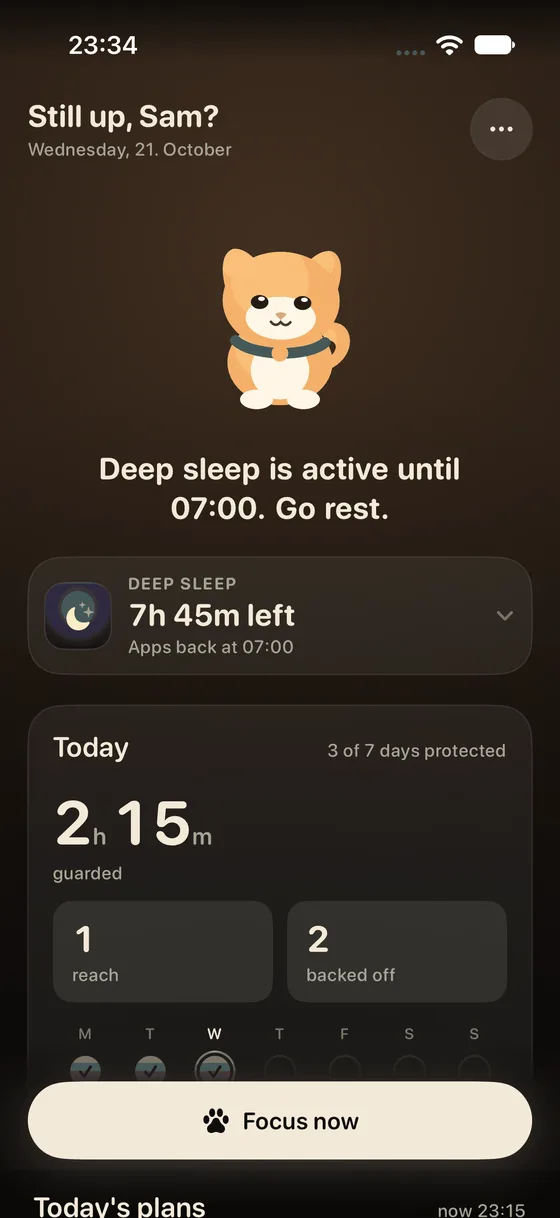
Your night plan running, apps back at 07:00 - At 23:30 your thumb opens Instagram anyway. Apple's shield appears with "Mau's paw is on this one." and "Night focus · apps back at 07:00", and two buttons: Stay focused and Pause with Mau.
- If you tap Pause with Mau, the screen says "Let's take one breath first." and asks "What would help?" with four answers. You pick one.
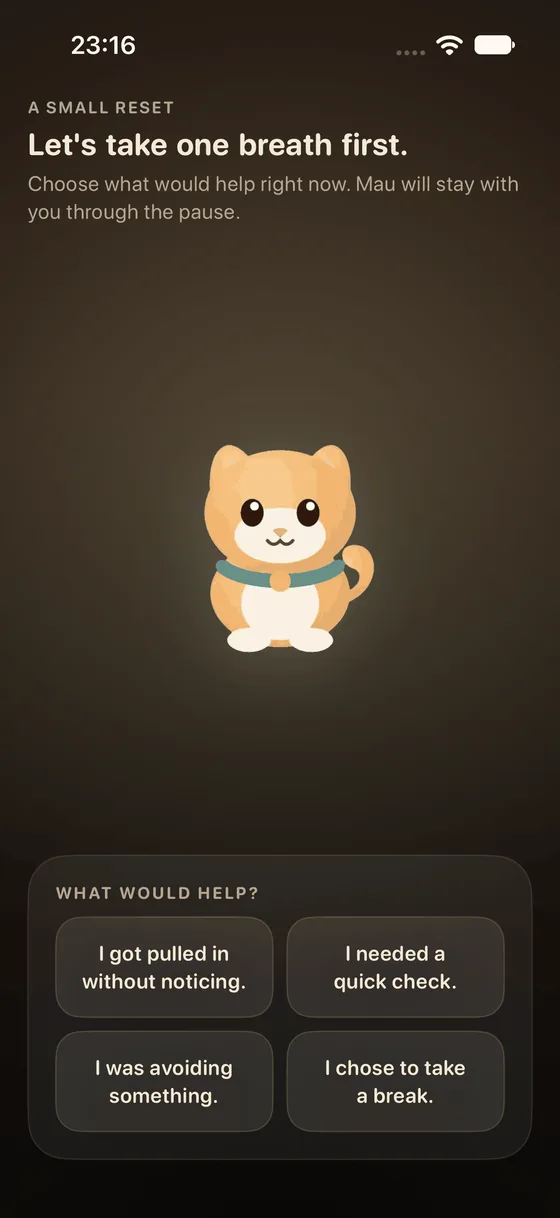
One breath and one question, on one screen - A short wait follows: 15 seconds the first time, longer on later pauses.
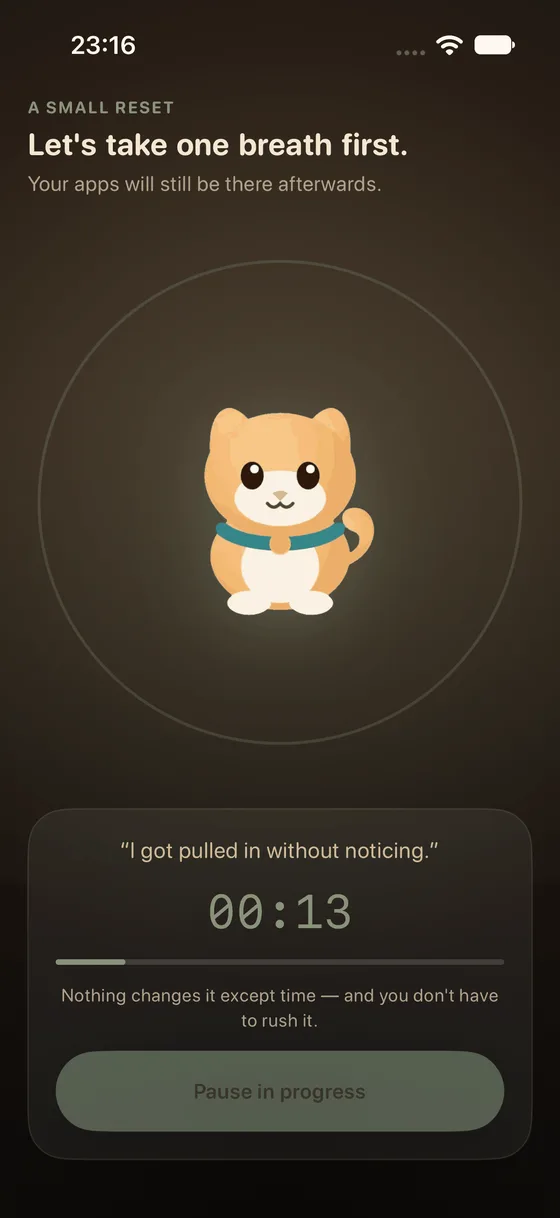
The wait, 15 seconds the first time - Then you choose I'm good or Open for 5 min. "Either is fine. Mau counts both."
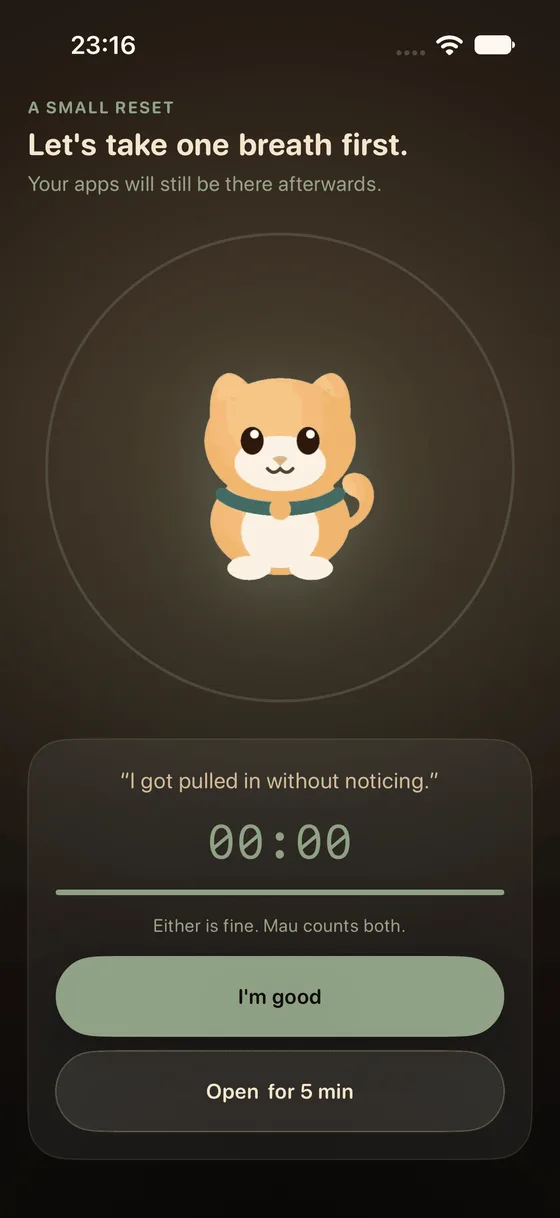
I'm good, or Open for 5 min
In one sec
From one sec's own pages: you add Instagram as an app to slow down, and one sec uses a Shortcuts Automation so a deep breath animation plays each time you open it. You can schedule the interventions, and set up blocks so the app can't be opened at all during a block session or scheduled time (App Store; one-sec.app). With Re-Intervention, after a set time such as 5 minutes, you are taken out of the app and go through the intervention again (App Store).
With Pawwall, Instagram stays closed from 22:30 to 07:00, and a calm way back in is one tap away when you need it.
Why people choose Pawwall
- The app is really closed. Pawwall pauses Instagram and the other apps you pick with Apple's Screen Time. Opening one shows Apple's own shield, not an animation you tap through.
- It runs on a schedule. Night focus starts at 22:30 and ends at 07:00 every day unless you change it. Morning, Work, Dinner and Study templates are one tap away.
- A pause that asks why. Pause with Mau starts with "Let's take one breath first." and "What would help?". The wait grows on later pauses, so a habit gets harder to repeat.
- You stay in charge. After the wait you choose "I'm good" or "Open for 5 min", and Mau counts both.
- Private by design. The apps you pick and your Screen Time data stay on your iPhone. Apple's Screen Time gives Pawwall only private tokens, never app names or your usage.
- No account, no ads. The membership starts with a 7-day trial on the yearly plan.
Who Pawwall is for
- People whose phone time leaks into the night and who want the apps closed, not just slowed down.
- People who want a plan that starts by itself every evening, without setting anything up again.
- People who want a way back in that makes them stop and think, not a hard lock they end up deleting.
Different focus
one sec focuses on a short intervention before an app opens, on iPhone, Android and computers (one-sec.app). Pawwall focuses on a real Screen Time block on your iPhone, on a schedule, with a calm way back in.
How to stop opening Instagram at night with Pawwall
- Open Pawwall and tap Add focus plan, then Night focus.
- Tap Choose apps and pick Instagram. Add other feeds or short-video apps if they pull you in too.
- Check the days and times: every day, 22:30 to 07:00, unless you change them.
- Save. The plan runs on its own each night.
- When you open Instagram during the plan, tap Stay focused to go back, or Pause with Mau if you really need it.
- After the question and the wait, choose I'm good or Open for 5 min. Both count.
Sources and last checked
- https://one-sec.app/
- https://one-sec.app/privacy
- https://one-sec.app/research
- https://apps.apple.com/us/app/id1532875441
- https://apps.apple.com/app/id6796812465
- https://pawwall.app/privacy/
All sources checked 21 October 2026. "App Store" in this page means one sec's US App Store listing.
FAQ
Does Pawwall really block Instagram, or just remind me?
It blocks it. Pawwall pauses Instagram with Apple's Screen Time, and opening it shows Apple's own shield screen, a system block, not a reminder you swipe away.
Can I still get in during Night focus?
Yes. Tap Pause with Mau: one breath and one question, a short wait, then I'm good or Open for 5 min.
How long is the wait in Pawwall?
15 seconds the first time. Later pauses wait longer.
Does one sec block apps?
Mostly it delays them with an intervention. It can also block apps or sites during a block session or a scheduled time (one-sec.app).
What happens at 07:00?
Night focus ends and your apps come back on their own. Home shows the time, for example "Apps back at 07:00".
Do I need an account for Pawwall?
No. Pawwall has no account and no ads.
What does Pawwall know about the apps I pick?
The apps you pick and your Screen Time data stay on your iPhone. Apple's Screen Time gives Pawwall only private tokens, never app names or your usage.
See also: one sec alternatives for iPhone.